Brochures & share pages
Send a listing that looks good everywhere
A share page or a PDF brochure in the client’s language, with your branding and none of your internal notes.
On every plan
How it works
-
Step 1
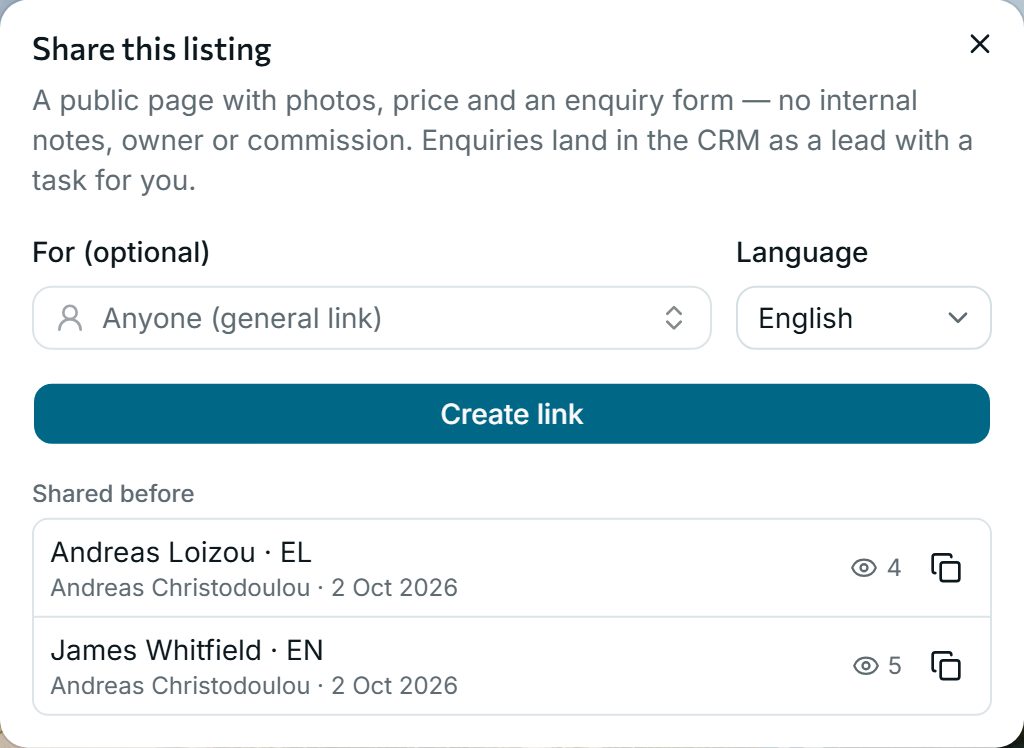
Create a link in a second
Choose the language and, if you like, the client. You see how many times each link was opened.
-
Step 2
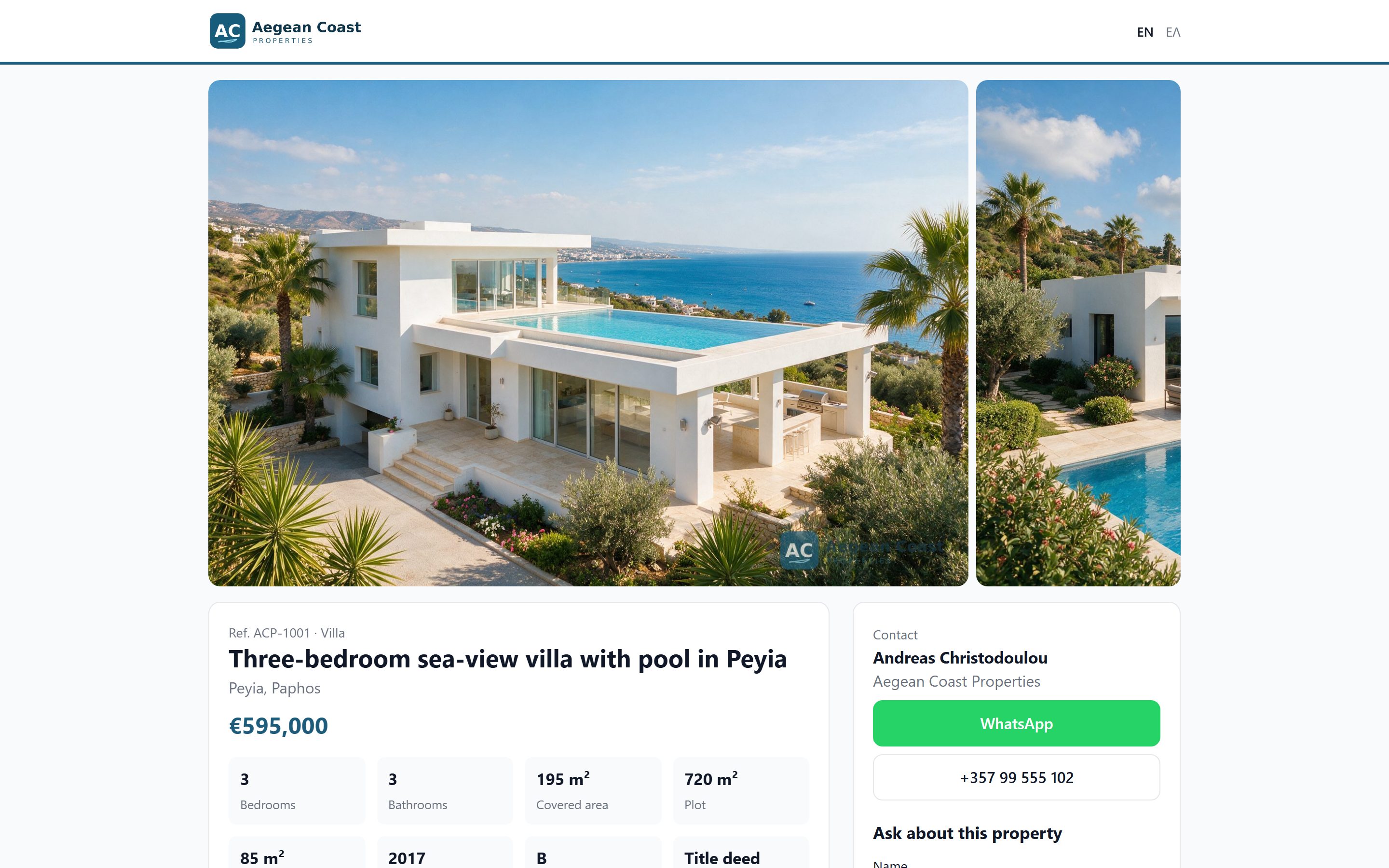
A page that previews well
Large photos, the key facts, your agent’s WhatsApp and phone, and a good preview when sent by WhatsApp or posted on Facebook.
-
Step 3
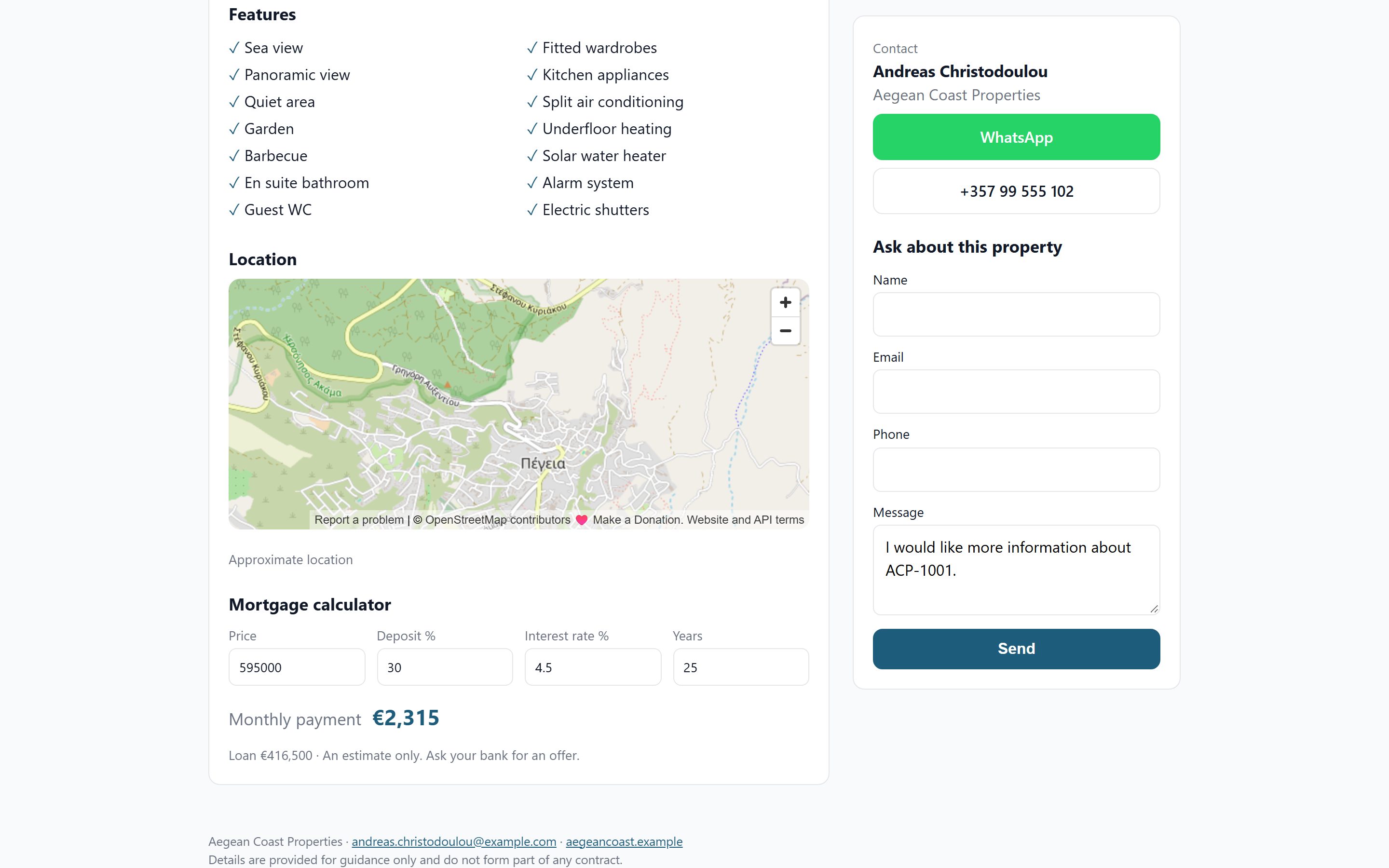
Enquiries come back to you
An approximate location, a mortgage calculator and an enquiry form. Each enquiry lands in the CRM as a lead with a task for you.
Why agencies use it
-
PDF brochures
Full or one page, in English or Greek, with your branding and large, evenly cropped photos.
-
Only what is public
Internal notes, the owner and the exact address never appear on a share page or brochure.
-
Proposals and owner reports
Send a client a proposal PDF with several listings, or an owner a report on their listing.
See it with your own listings
Book a short demo: we show you the app with listings like yours, answer your questions and help you bring your data across.