New-build projects
Sell a whole development from one screen
Blocks and units, what is available, reserved and sold, a price list and a public availability page that keep themselves up to date.
On Professional and Enterprise
How it works
-
Step 1
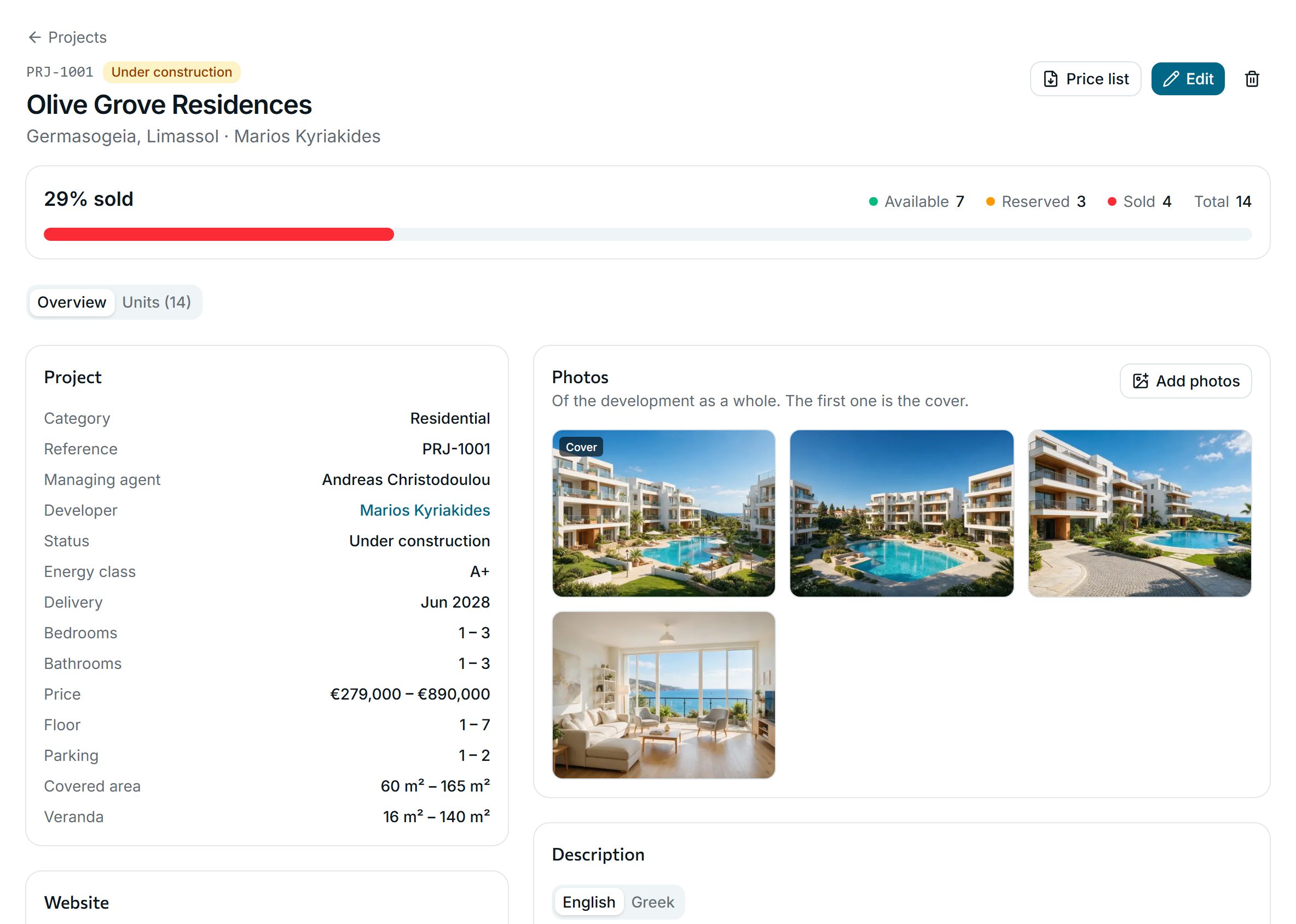
The project at a glance
How much is sold, price and size ranges, the developer and the delivery date, in one overview.
-
Step 2
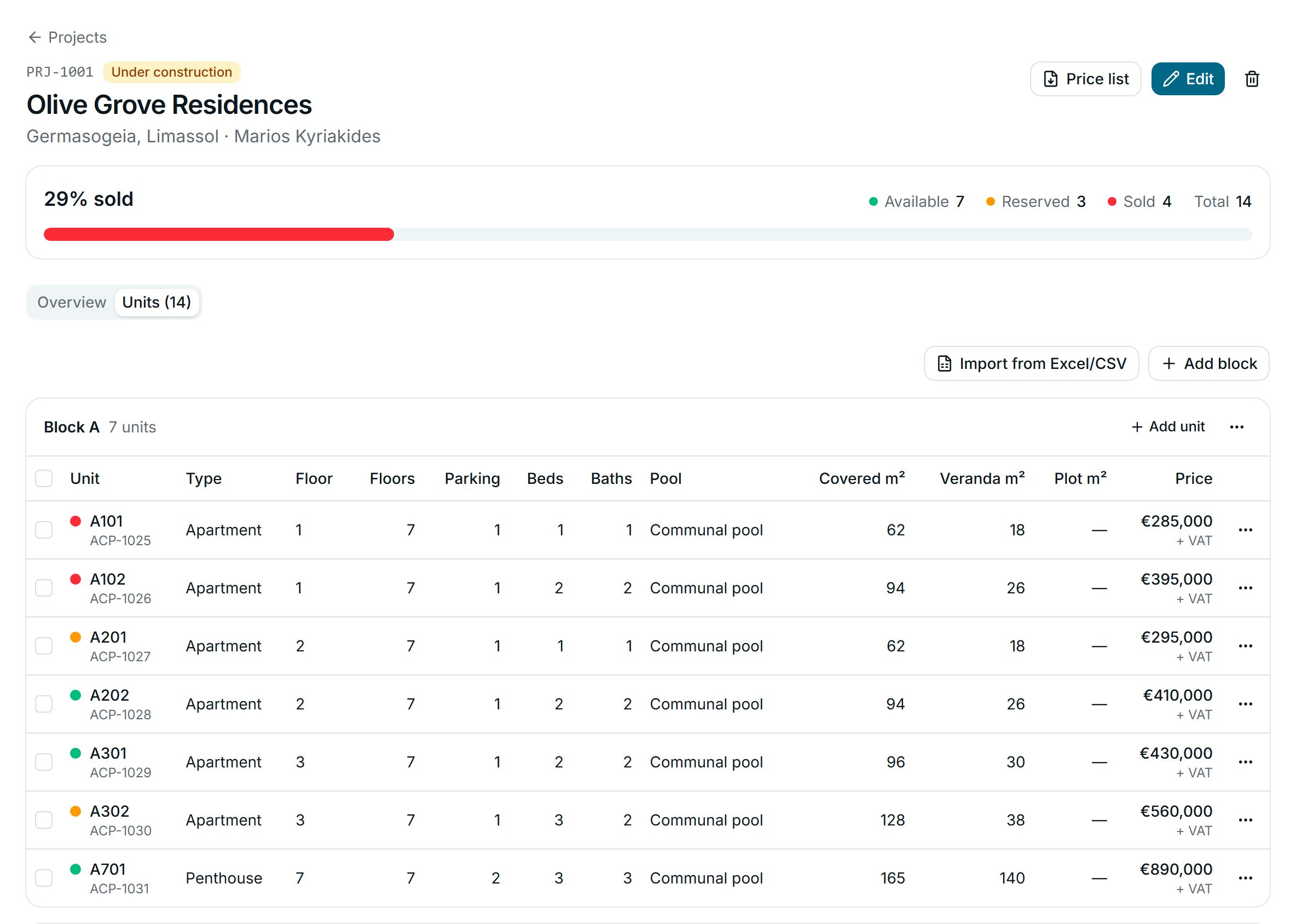
Every unit, block by block
Each unit is a full listing, so matching, share pages and deals work on it as usual. Import the developer’s unit list from Excel or CSV, with a dry run first.
-
Step 3
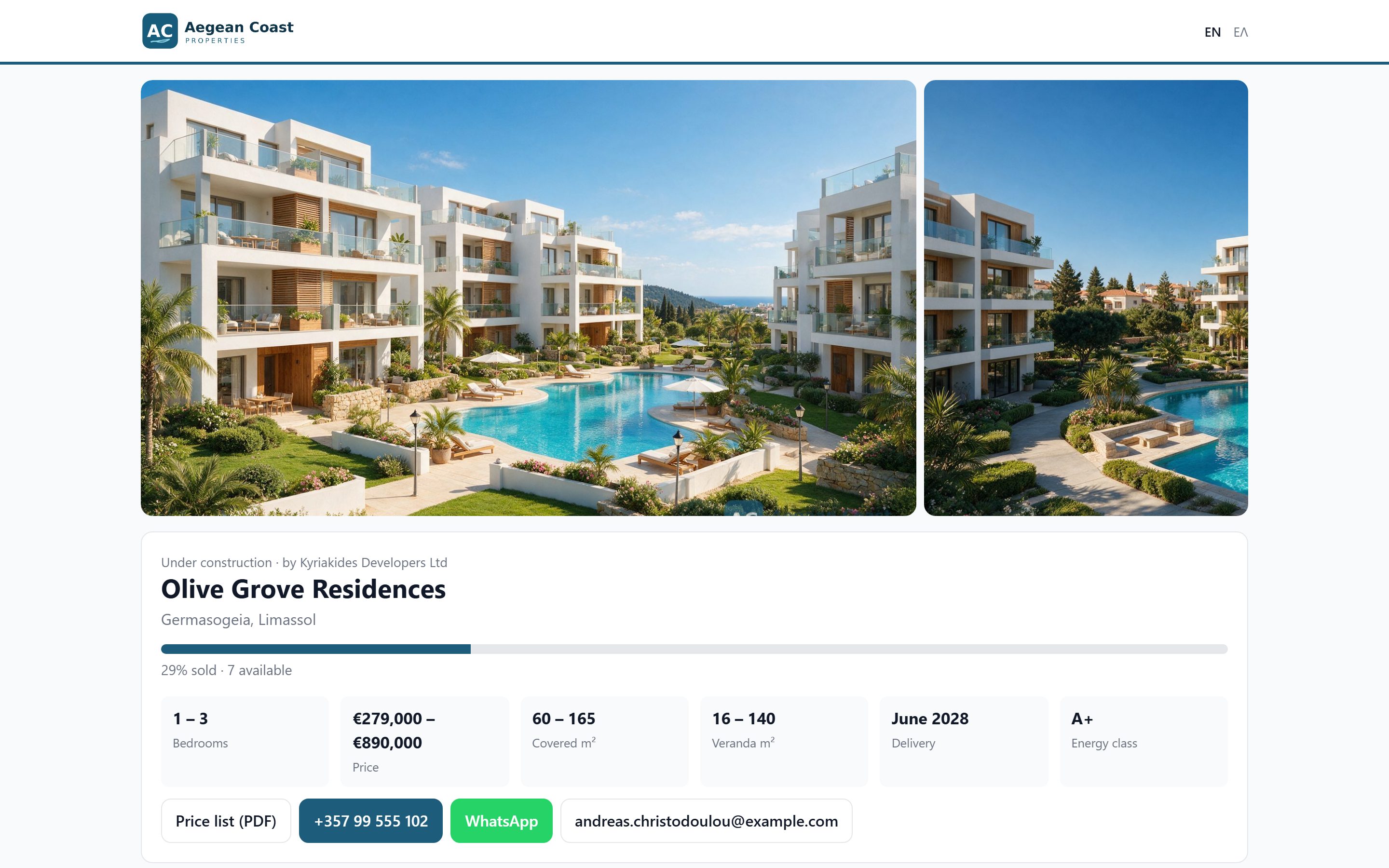
A public page that updates itself
Share the project’s availability page or the branded price list PDF. Sold units show without a price, and the figures follow every change.
Why agencies use it
-
One source of truth
The office, the developer and buyers see the same availability, so nobody offers a unit that is already reserved.
-
On your website too
Show projects on your own site through the website API or the WordPress plugin.
-
Developers as contacts
Keep each developer as a contact, linked to their projects.
See it with your own listings
Book a short demo: we show you the app with listings like yours, answer your questions and help you bring your data across.