Contacts & matching
The right listing for every client, found for you
Save what each buyer or tenant is looking for. Estate CRM checks every listing against it, scores each match from 0 to 100 and lines them up for you to send in two clicks.
On every plan
How it works
-
Step 1
Save what the client wants
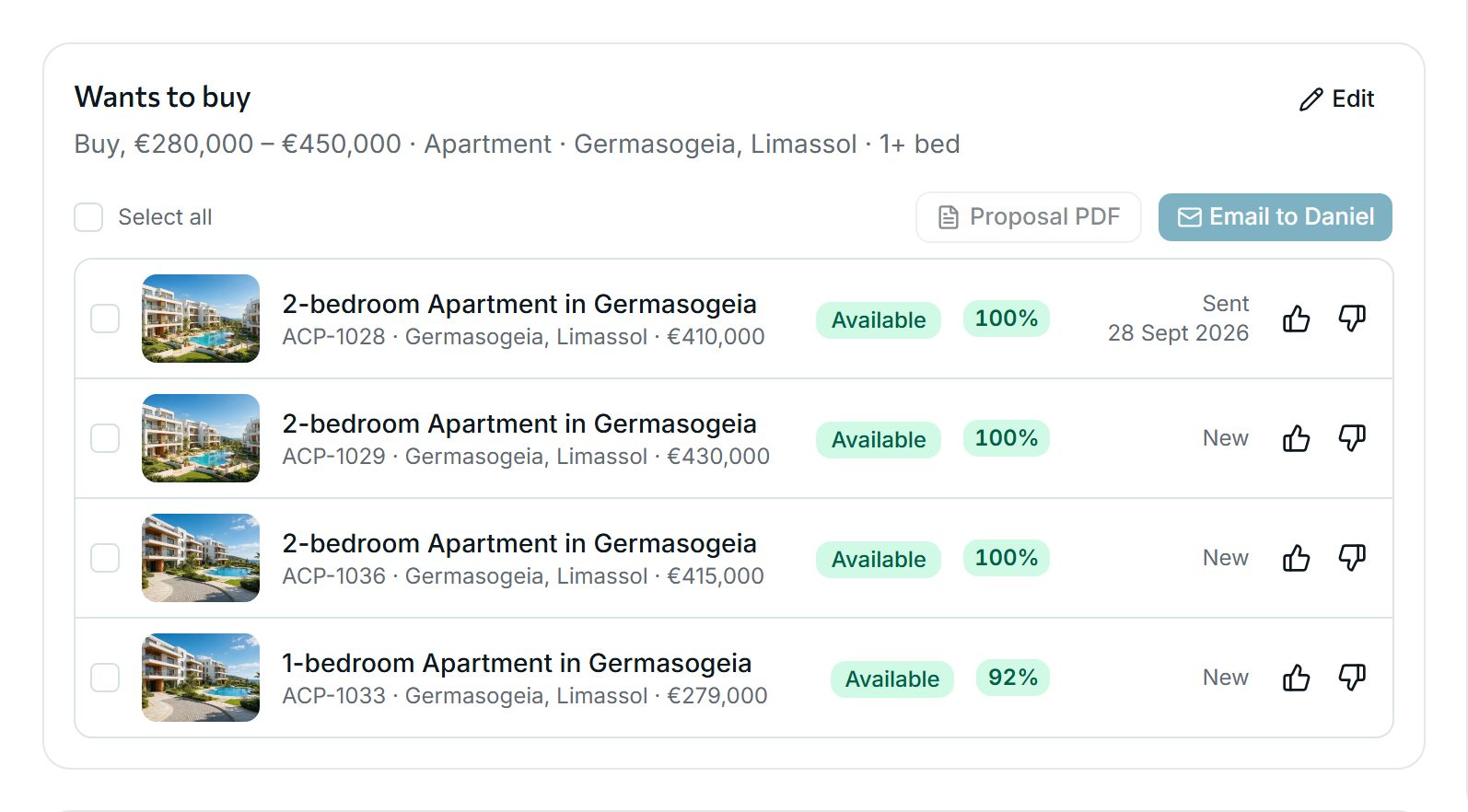
Add a requirement to a contact: sale or rent, price range, property types, areas (a district includes every place in it), bedrooms, size and must-haves such as a pool or parking. The listings that fit appear under it at once, best first.
-
Step 2
See every new match in one place
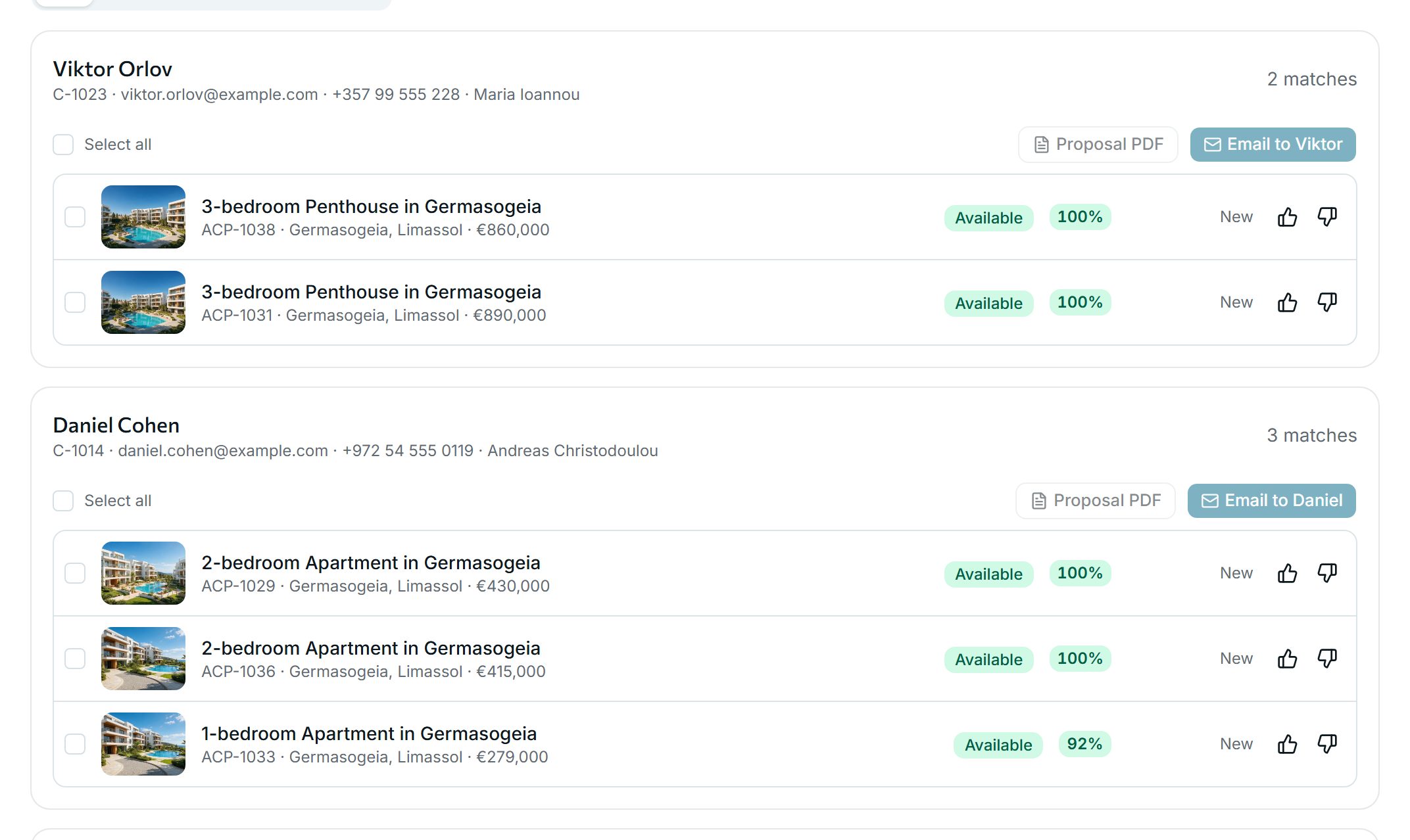
The Matches inbox lists each client’s new matches with a score. 100% means the listing fits every point of the search. A lower score means it fits less closely. Thumbs up or down record what the client liked.
-
Step 3
Send them in two clicks
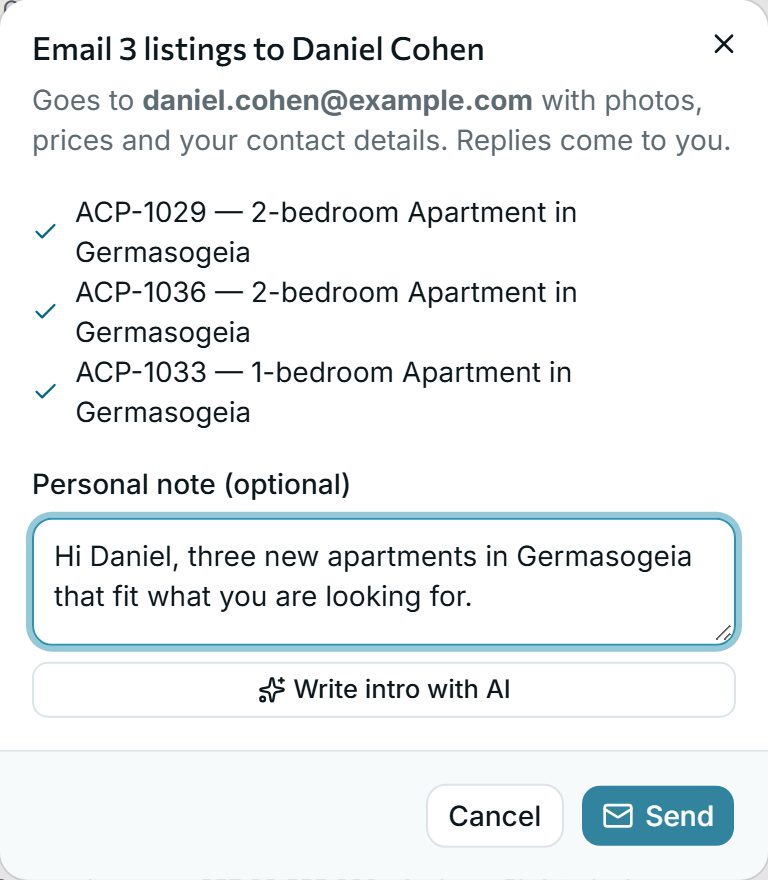
Tick the listings and press Email. Add a personal note or let AI write the intro. The client receives photos, prices and a link to a page in their own language, and the matches move to Sent.
Why agencies use it
-
It runs by itself
Every new or changed listing is checked against every client’s search, and every saved search against every listing. There is nothing to run or remember.
-
Clients hear first
Switch on automatic alerts per client, at once or once a day, and price-drop e-mails when a listing they were sent becomes cheaper.
-
The history stays
What was sent, liked or turned down is kept with each client, so everyone in the office knows what they have already seen.
See it with your own listings
Book a short demo: we show you the app with listings like yours, answer your questions and help you bring your data across.