Viewings & calendar
Every viewing, call and task in one calendar
Plan the office’s week, record what happened at each viewing and start every day knowing what needs doing.
On every plan
How it works
-
Step 1
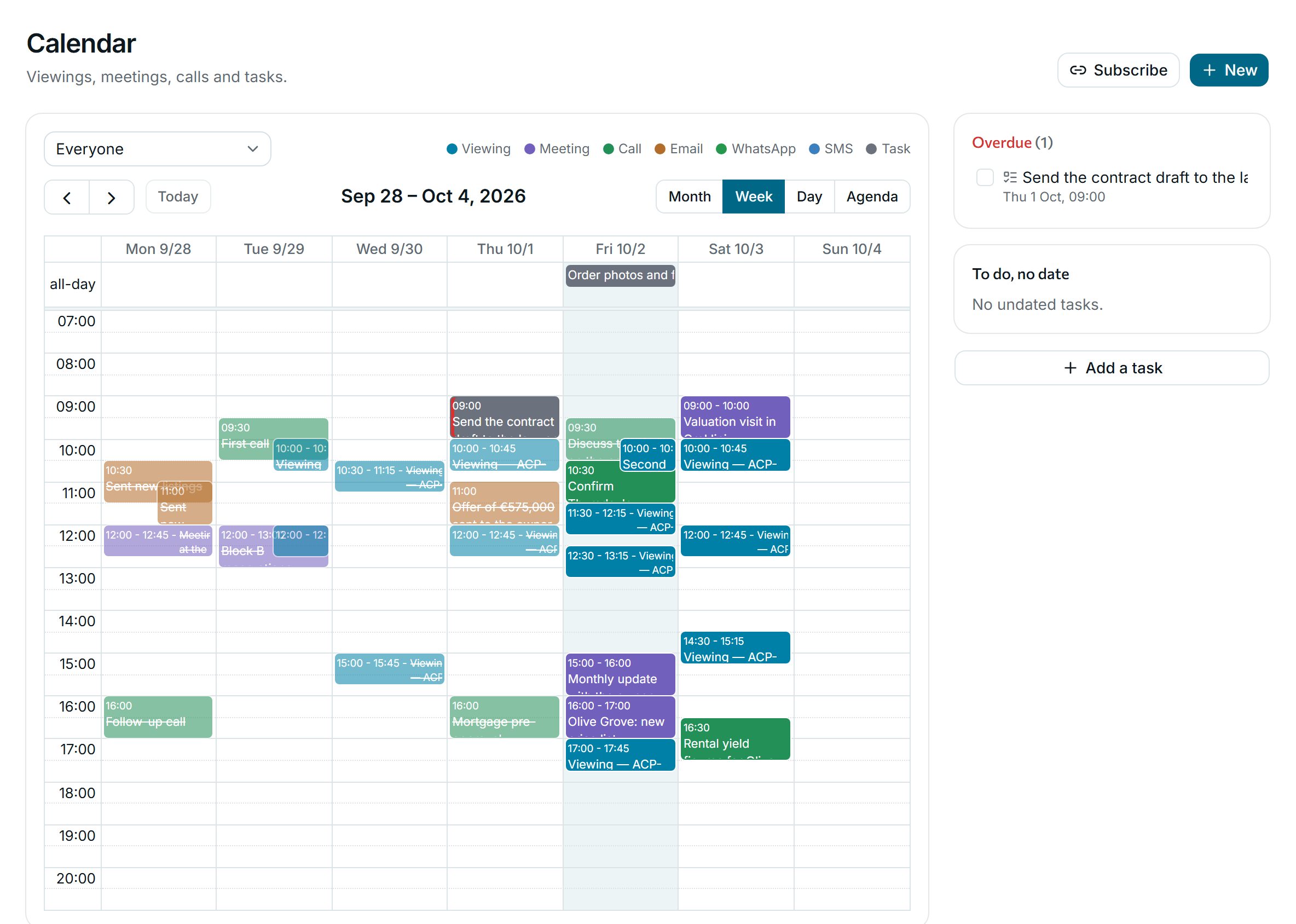
The whole team’s week
Viewings, meetings, calls and tasks for everyone or for one agent, by month, week, day or as an agenda. Reminders go out before each one.
-
Step 2
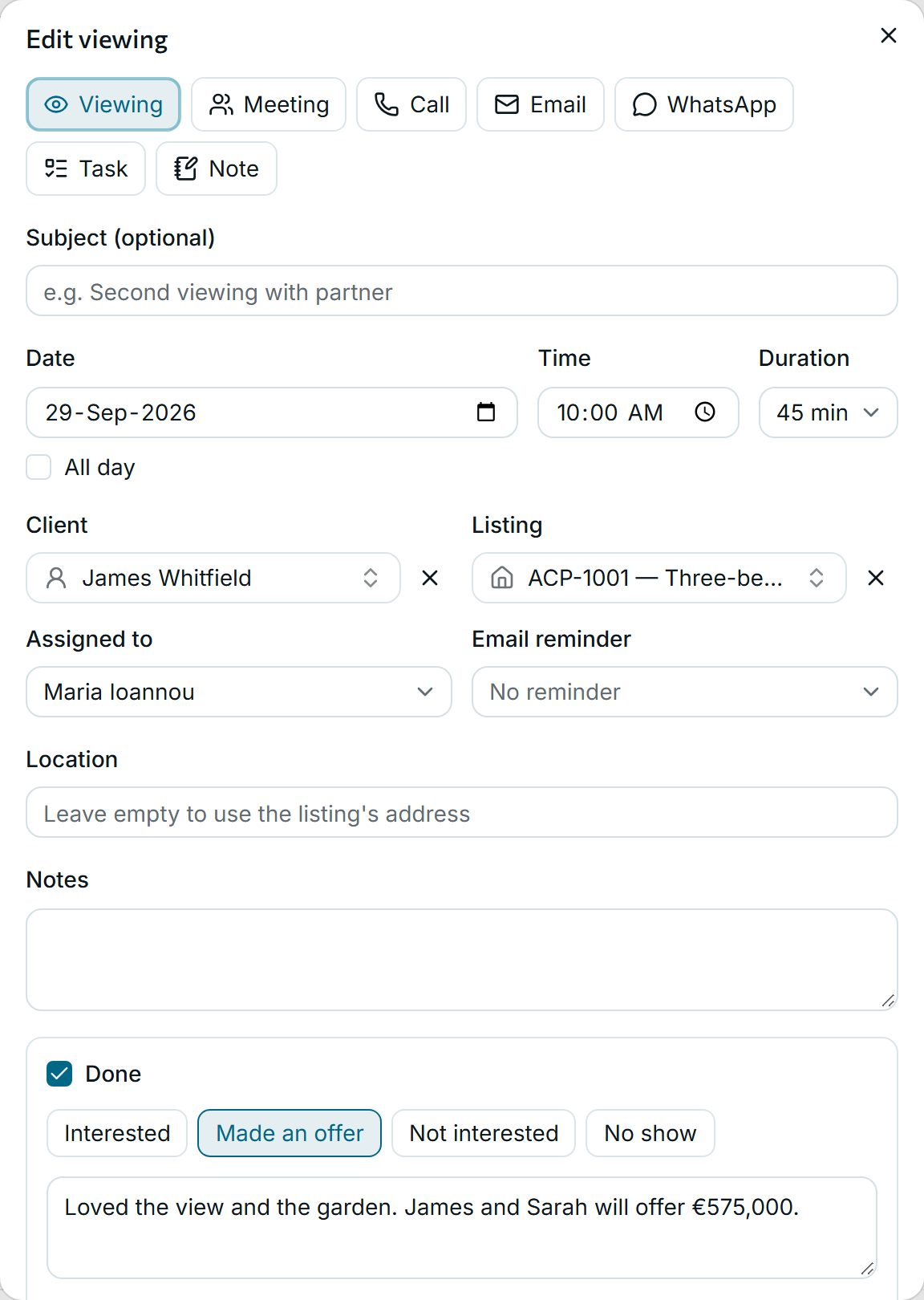
What happened at the viewing
Mark it done and choose the outcome: interested, made an offer, not interested or no show. The client’s match follows, and the note stays on the timeline.
-
Step 3
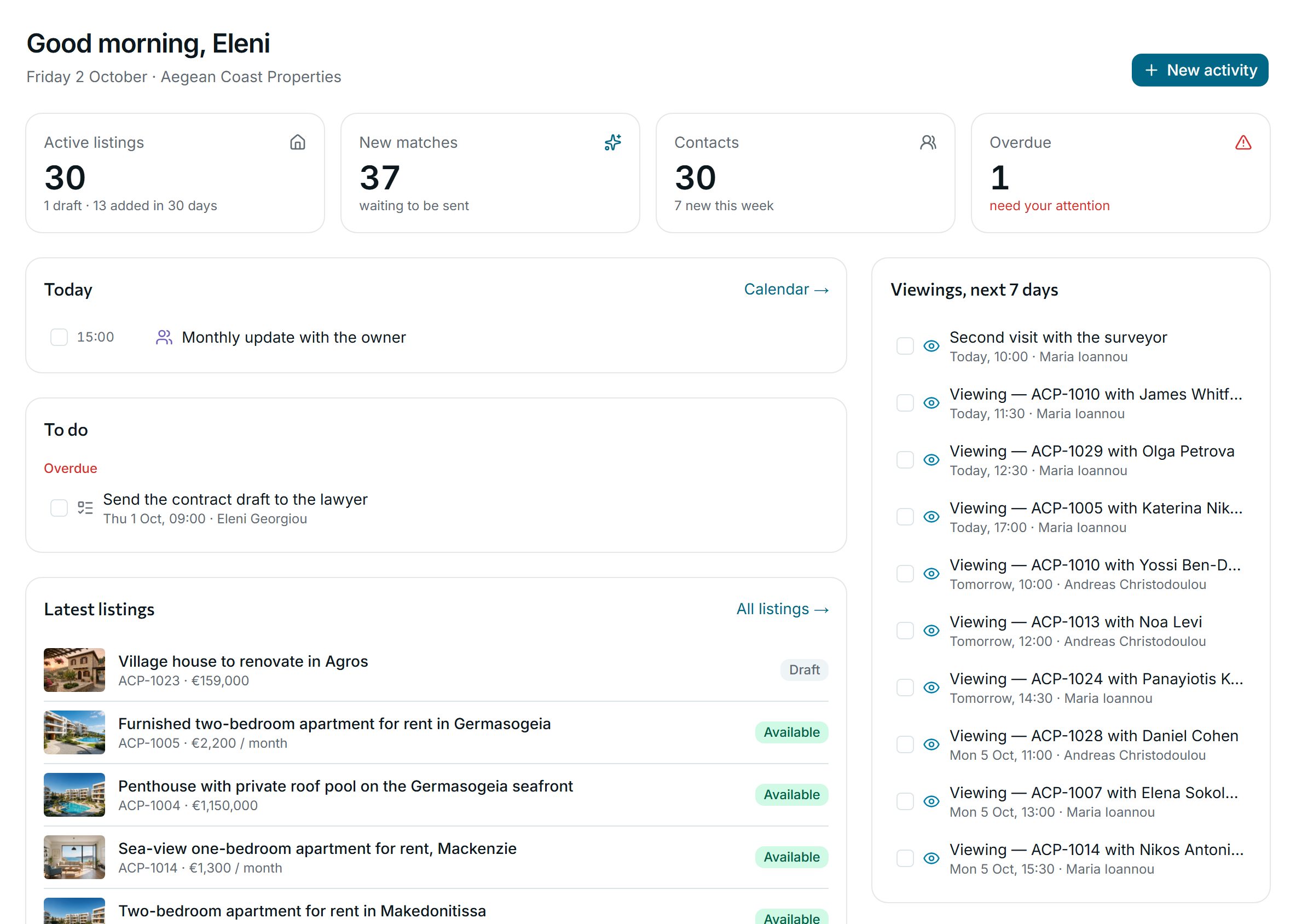
Today, on the dashboard
Today’s work, overdue items, the next viewings and new matches, as soon as you sign in.
Why agencies use it
-
On your phone’s calendar
Subscribe from any calendar app. With Professional, Google Calendar syncs both ways.
-
The full story per client
Calls, messages, e-mails and changes on one timeline per client, listing and deal.
-
Nothing slips
Overdue items stand out on the dashboard until someone deals with them.
See it with your own listings
Book a short demo: we show you the app with listings like yours, answer your questions and help you bring your data across.